Tridge
Inbox Notification
Keeping everyone in the loop

As the service added features that mirrored real trade workflows, users found it harder to track what happened where. I proposed the inbox as one place to see every message and activity across the service.
The work started from the notification logic, not the interface.
Problem
Updates got lost across the service, and users found it harder to track what happened where.
Approach
Before choosing interface patterns, I defined the notification logic first.
Solution
Notification logic that scales across features and follows real trade workflows.
01
Logic before interface
The service kept adding features that mirrored real trade workflows, and an update in one place often mattered to someone working in another. Notifications had to follow how those workflows connect. Before choosing any interface pattern, I built the notification logic on three questions. Where did it happen? What changed? Who should know? Each answer maps to a backend event trigger, so the same logic can scale as features are added.
Linked workflows made this harder. Request for quotation and purchase quotation depend on each other, so one action can matter to the people in charge of both. To handle this, each notification was defined by its object, trigger and recipient before being branched by object state.
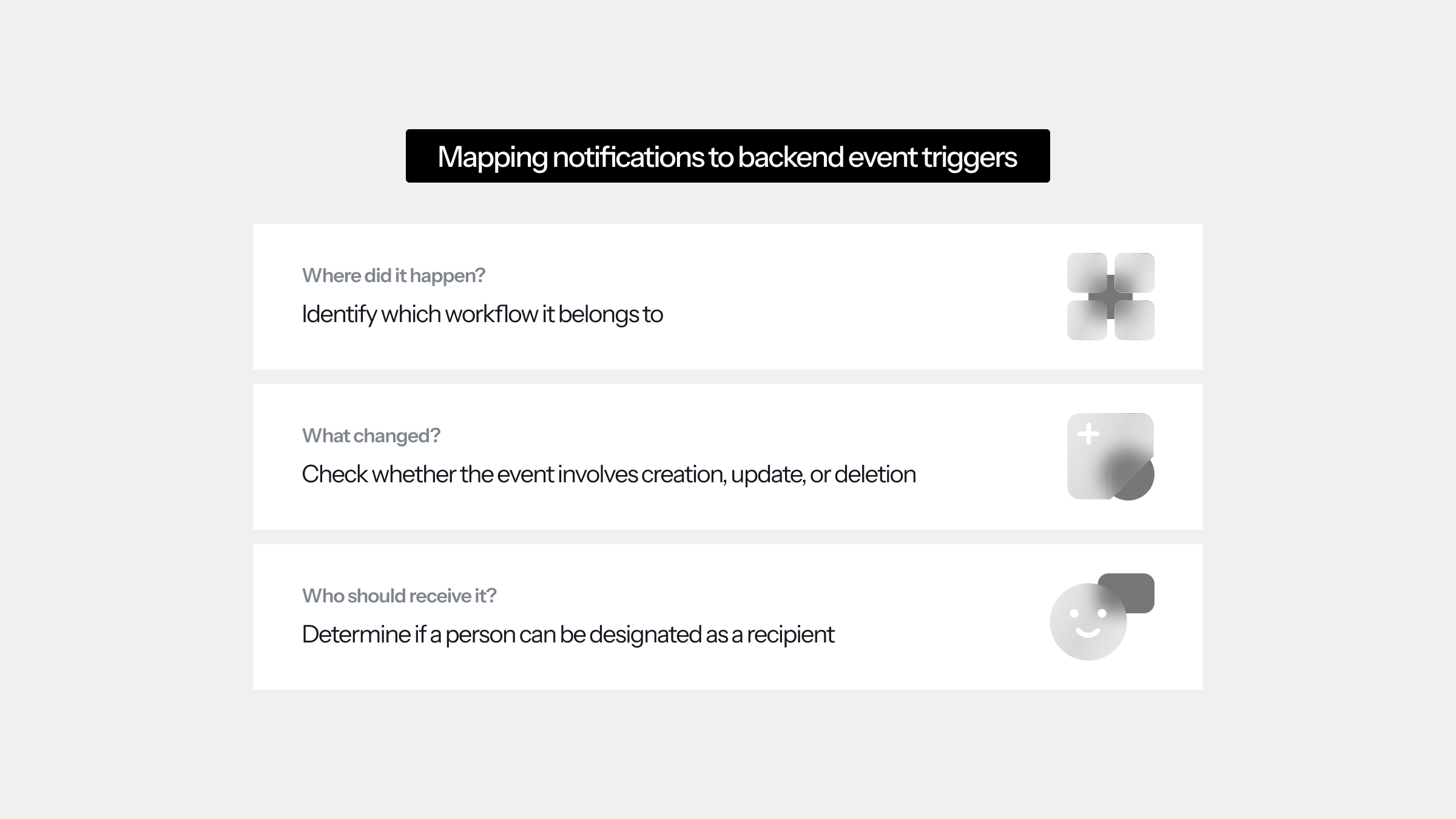
Three questions behind every notification
Each question maps to a backend event trigger, from the workflow it belongs to down to who can be designated as a recipient.
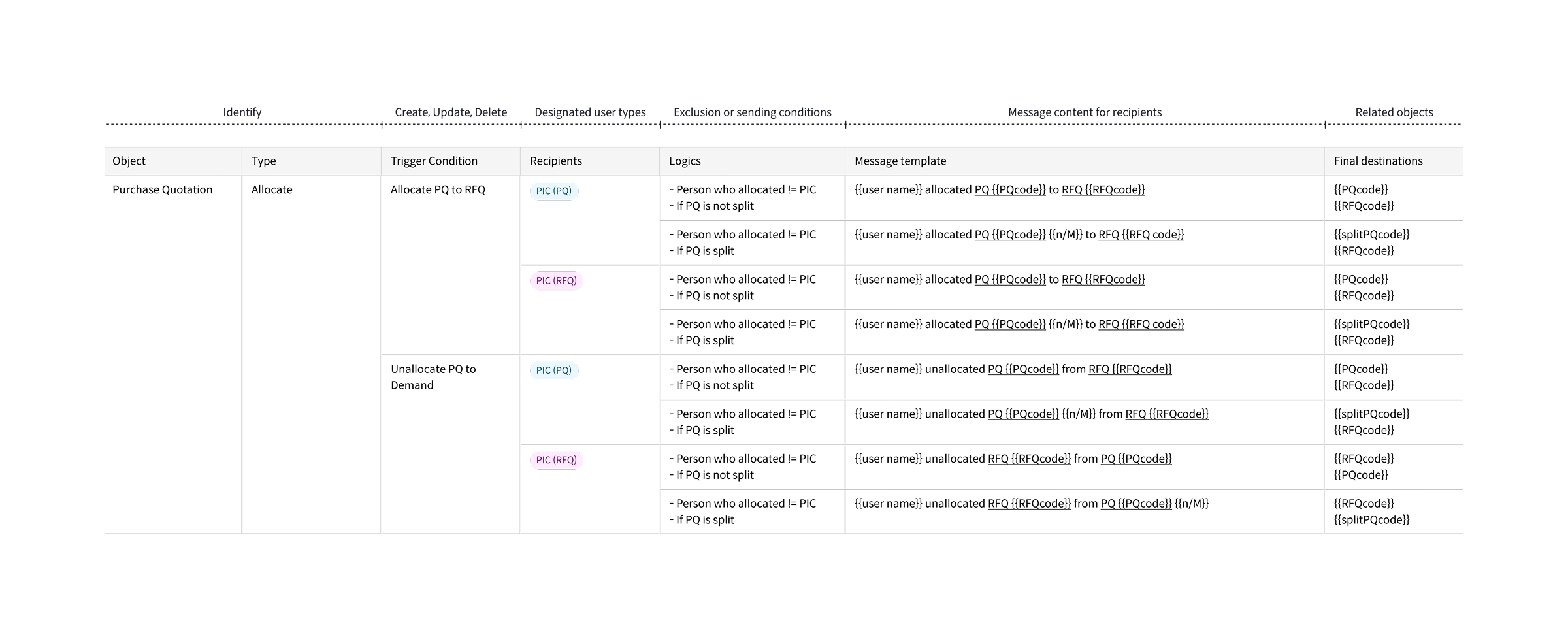
28 cases in one workflow
For example, allocating a purchase quotation to a request notifies the people in charge of both. Every possible combination was mapped in a spreadsheet and narrowed down to 28 cases for the purchase quotation workflow alone.
02
Making the logic visible
The notification rules shape every message in the inbox. Each one says who did what and links straight to the task, so users can act on it right away. When workflows are connected, a message links to both tasks. Data masking also hides any details users aren't authorised to see.
The service doesn't sync in real time, because an incoming update could overwrite someone's edit in progress. New updates load only when users refresh, and a banner lets them know something has arrived.
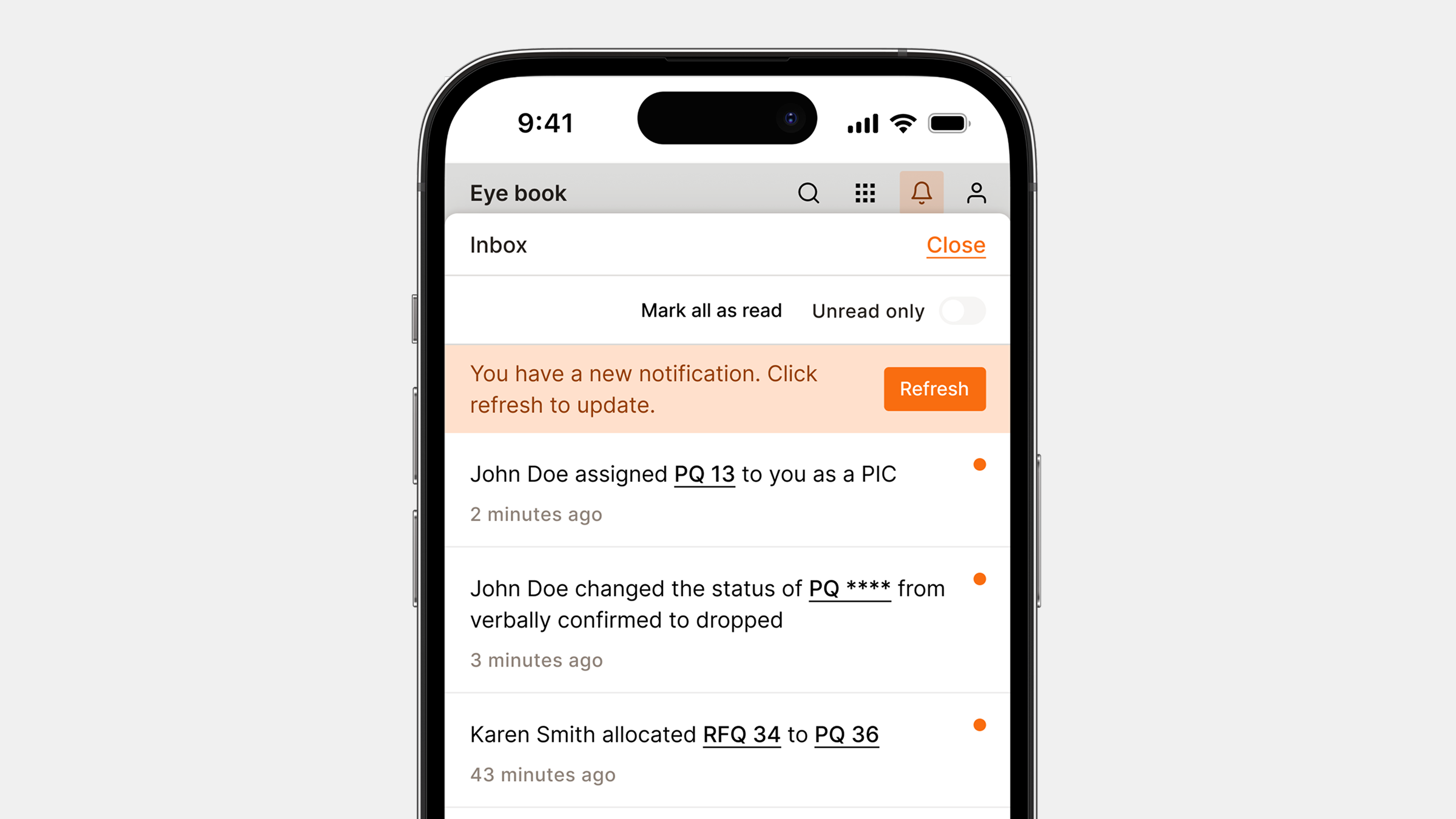
Refresh to update
A banner tells users about new notifications without replacing what they are working on. They can also filter the inbox to unread notifications only.
Results
Testing accuracy in real scenarios
Access in the system depends on each person's role. I ran a role-play pilot with the project team, each of us acting as a different role in real trade tasks. The goal was to check that every notification reached the right person. Every one followed its trigger and recipient rules and none were missed or sent twice. In shared cases such as quotations, the wording fitted each recipient's role.
With real users, the next step is to measure it in daily work. Clicks from the inbox to the linked task would show how quickly people act, and notifications marked as read without being opened would point to noise. Follow-up interviews would then show whether people still ask colleagues for updates.
28
Notification cases for purchase quotations
0
Missed or duplicated notifications in the pilot
Role-play pilot with the project team

